👀 Agents by state in call view
New
From now on, you can view the exact status of your agents at the moment a customer requests a call.
When you go to the call history, select the call you want to view using the View button. Then, in the lower-left corner, you'll see the Agent's Status Details.
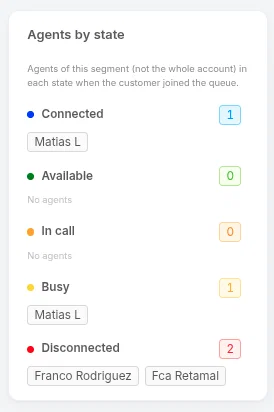
This will allow you to identify, at the precise moment of that call, what was happening in your contact center.